Installation
Gradle
To utilize Multik in your project, the following steps need to be performed:
Add the Maven Central Repository in your project.
Decide the specific dependency that you require. You can find more information in Engines of Multik. If you're unsure, you can use the
defaultdependency.Add the necessary dependency to your project. The available dependencies are:
org.jetbrains.kotlinx:multik-core:0.3.0
org.jetbrains.kotlinx:multik-default:0.3.0
org.jetbrains.kotlinx:multik-kotlin:0.3.0
org.jetbrains.kotlinx:multik-openblas:0.3.0
For multiplatform projects, add Multik in the commonBlock:
Alternatively, you can add Multik in the block of your required platform. Here is an example of adding Multik for the JVM platform:
Kotlin-Notebook, Jupyter, Datalore
Multik can also be used in interactive environments such as Kotlin Notebooks, Jupyter with the Kotlin kernel, and Datalore.
To do so, use the following magic command:
This command includes the multik-default dependency and all necessary imports for working with the library.
In a Kotlin-Notebook, you'll have access to the full suite of Kotlin features that you are accustomed to in IDEA. This setup provides a convenient platform for quickly testing hypotheses and implementing ideas.
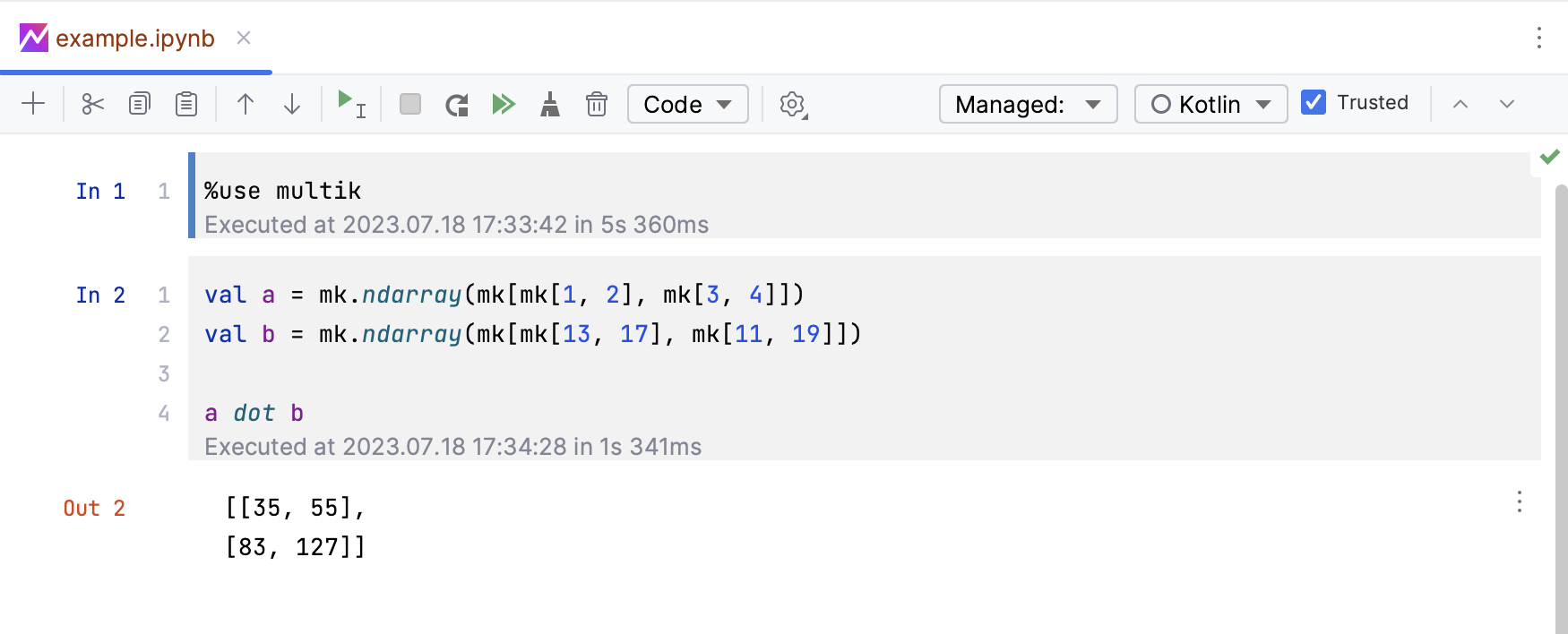
To delve deeper into Kotlin Notebooks, we recommend you read the dedicated post on the JetBrains blog: Introducing Kotlin Notebook.